
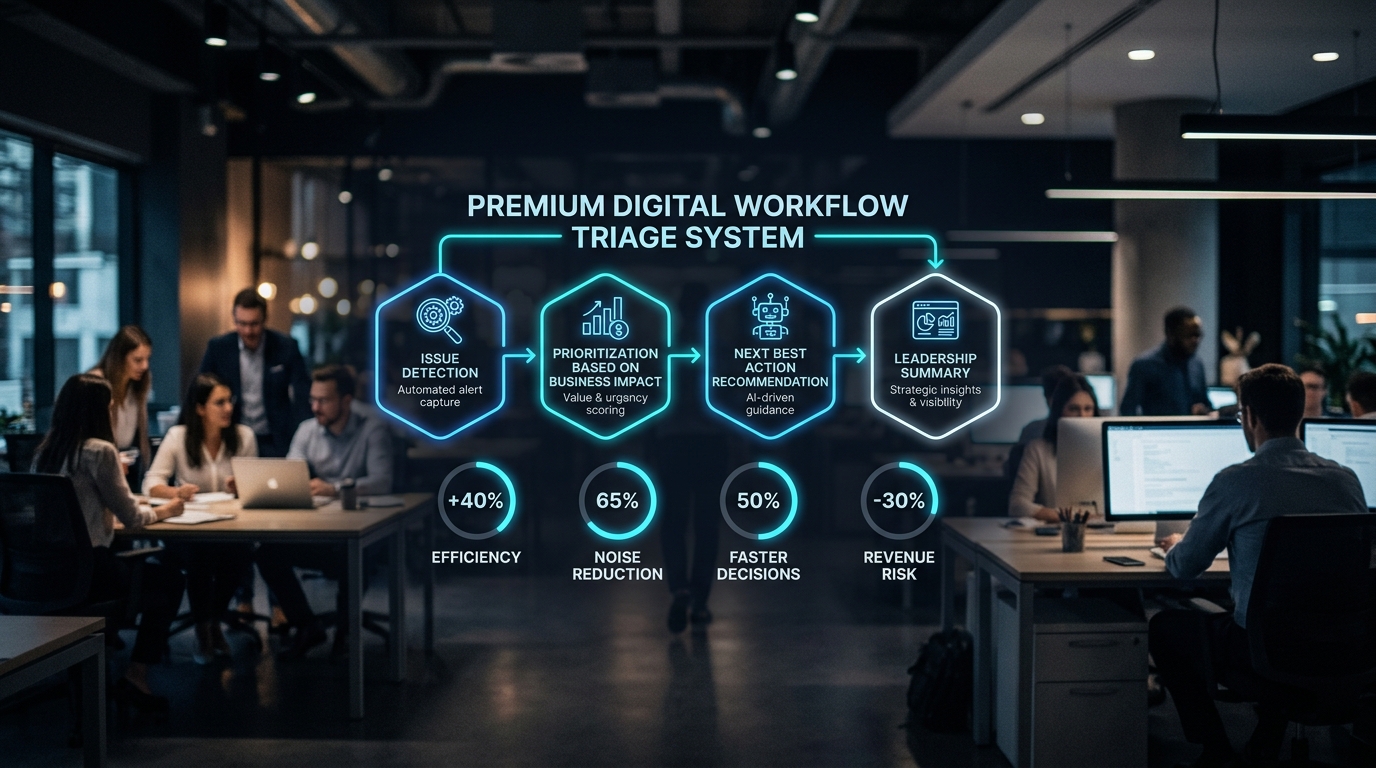
AI Workflow Triage: How Founders Focus on the Problems That Matter
AI workflow triage is becoming a practical necessity for founders, operators, and agency leaders who are dealing with too many tools, too many alerts, and too many disconnected processes. The real challenge is no longer whether a business can collect more data or automate more tasks. The challenge is deciding which issues are actually reachable, which ones can hurt revenue or customers, and what the team should do when the perfect fix is not available.
Key Takeaways
- Most businesses do not have a lack of data problem. They have a signal-to-noise problem.
- AI should help teams prioritize based on business exposure, not just task volume or urgency.
- The best automation systems show what matters, why it matters, and what action should happen next.
- Founders need board-level clarity, not dashboards filled with disconnected metrics.
- AI workflow triage works best when paired with strong operational design and clear decision rules.
The Problem Is Not Volume. It Is Context.
Many businesses are now operating in the same pattern: more software, more notifications, more customer touchpoints, more sales data, more support tickets, more marketing channels, and more internal tasks. The default response is usually to add another tool, create another dashboard, or ask the team to move faster.
But speed alone does not solve the problem. If your team is trying to respond to everything, they are not prioritizing anything.
This is where founders can learn from high-pressure operational environments. When the number of issues becomes too large to handle manually, the winning question changes. It is no longer, “How do we process everything faster?” It becomes, “Which small fraction of issues can actually create meaningful damage if ignored?”
That is the heart of AI workflow triage. It uses AI and automation to separate noise from exposure. Instead of treating every alert, lead, ticket, task, or report as equal, the system evaluates context: customer value, revenue impact, operational dependency, urgency, and available response options.
Why Traditional Dashboards Are Not Enough
A dashboard can tell you that support volume is up 26 percent. It can tell you that ad costs are rising. It can show that sales follow-up is slower this week. But dashboards often stop at measurement. They rarely answer the operator’s real question: “What should we do first?”
For a founder, this gap matters. A business does not fail because a dashboard had the wrong color chart. It fails because the team could not see the one issue that was directly connected to revenue, retention, delivery quality, or cash flow.
Consider a digital agency with 80 open client tasks. A normal project management view may sort them by due date. An AI workflow triage system would look deeper:
- Which tasks are tied to a high-retainer client?
- Which blockers are holding up billing or campaign launch?
- Which requests have been waiting longer than the client’s service-level expectation?
- Which internal delay could cause account churn?
- Which task can be resolved with automation, and which requires senior judgment?
That level of context turns a task list into an operating system.
The Three Questions Every Founder Should Build Into AI Systems
Before investing in AI automation, founders should avoid the temptation to automate whatever is loudest. The better approach is to build triage logic around three practical questions.
1. Can this issue actually reach something important?
Not every problem deserves equal attention. A missed internal note is not the same as a missed enterprise lead. A low-value website bug is not the same as a checkout issue affecting paid traffic. A delayed report is not the same as a blocked invoice.
AI can help classify whether an issue is connected to something important: revenue, customer experience, compliance, team productivity, or delivery risk.
Example: A B2B company receives 300 inbound form submissions each month. Instead of routing them all the same way, AI can identify which leads match the ideal customer profile, mention urgent buying signals, come from target accounts, or reference budget and timeline. Sales does not need more leads. Sales needs to know which leads can actually become pipeline.
2. If the ideal fix is not available, what is the next best move?
Many workflows break because the team waits for the perfect solution. The senior person is unavailable. The client has not replied. The integration is delayed. The report is missing a data point. The campaign cannot launch exactly as planned.
A strong AI operations system should not stop at “blocked.” It should recommend the next best action.
Example: If a customer support ticket requires engineering input but engineering is unavailable, the system can suggest a temporary response, identify related help docs, notify the account owner, and flag whether the customer is high-risk. The goal is not to pretend AI can solve every issue. The goal is to prevent operational silence while the final answer catches up.
3. Can we explain the situation clearly to leadership?
Founders do not need more vague status updates. They need specifics. Which accounts are at risk? Which workflows are overloaded? Which automation is reducing manual effort? Which bottlenecks are costing money?
AI workflow triage should create executive-ready summaries, not just operational logs. A good system can translate scattered activity into a clear leadership view:
- Top five revenue risks this week
- Client accounts requiring founder attention
- Processes with repeated manual intervention
- Automation opportunities with measurable ROI
- Decisions waiting on leadership approval
This gives founders the information they need to act, delegate, or escalate without digging through multiple tools.
Practical Use Cases for AI Workflow Triage
The value of AI workflow triage becomes clearer when applied to everyday business operations.
Sales Operations
An AI system can score inbound leads based on fit, urgency, deal size, source quality, and engagement. Instead of treating all inquiries equally, the system routes high-value leads to senior sales, sends lower-fit leads into nurture, and alerts the founder when a strategic account enters the pipeline.
Client Delivery
For agencies, delivery risk often hides inside project tools. AI can monitor overdue tasks, client sentiment, missing approvals, repeated revision loops, and scope creep. The system can then flag which accounts are at risk before the client sends a frustrated email.
Customer Support
AI can prioritize support tickets by customer value, issue severity, sentiment, contract tier, and churn risk. A simple password question from a small account should not receive the same escalation path as a payment failure from a top customer.
Marketing Performance
Instead of reporting every metric, AI can identify which campaigns are meaningfully underperforming, which changes are statistically relevant, and which budget shifts require action. This helps founders avoid reacting to noise while still catching real problems early.
Internal Operations
AI can detect repeated manual work across finance, HR, reporting, and admin. If the same spreadsheet is updated every week, the same client reminder is written manually, or the same approval chain stalls repeatedly, that workflow becomes a candidate for automation.
How to Build a Simple AI Workflow Triage Model
Founders do not need to start with a complex AI transformation project. A useful triage model can begin with five practical steps.
- Map the workflow: Identify where requests, alerts, tasks, or data enter the business.
- Define impact categories: Revenue, customer experience, delivery, compliance, team workload, or cash flow.
- Set priority rules: Decide what makes an issue high, medium, or low priority.
- Automate routing: Send the right issue to the right person or system based on context.
- Create leadership summaries: Convert operational activity into weekly decision reports.
The key is to avoid automating chaos. If the workflow is unclear, AI will only move confusion faster. Process design comes first. AI acceleration comes second.
Where Prime Solution Media Fits
Prime Solution Media helps business owners, founders, and teams turn AI from a collection of tools into practical operating systems. That means looking beyond surface-level automation and asking better questions: where is the bottleneck, what information is missing, which decisions repeat, and which workflows create the most business exposure?
For agencies and growing companies, this work often includes AI workflow audits, automation strategy, content operations systems, lead routing improvements, reporting workflows, and internal process design. The goal is not to add AI for appearance. The goal is to help the business make faster, clearer, and more profitable decisions.
Conclusion: Better Triage Creates Better Automation
The next stage of AI implementation will not be defined by who has the most tools. It will be defined by who can turn operational noise into clear action.
Founders should not ask, “How much can we automate?” as the first question. They should ask, “Which issues can actually reach revenue, customers, delivery, or growth?” Once that is clear, AI becomes far more useful.
AI workflow triage gives leaders a practical way to focus attention, protect the business, and build automation systems that support real decisions. In a noisy operating environment, the companies that win will not be the ones that react to everything. They will be the ones that know what matters first.




