
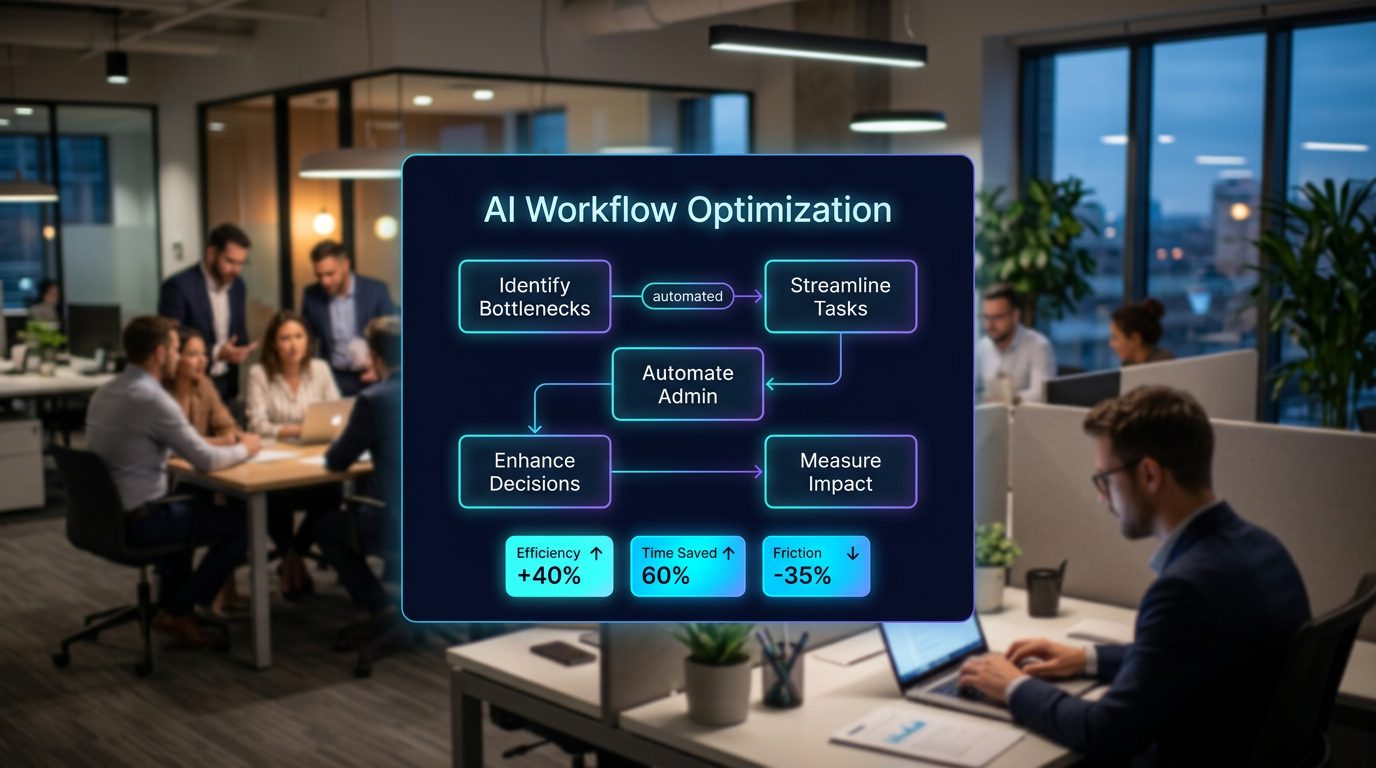
AI Workflow Optimization: Turning Bottlenecks Into Practical AI Wins
AI workflow optimization is becoming one of the clearest ways for founders and business owners to get real value from AI without overhauling the entire company. The best use cases are not always dramatic. They often sit inside the ordinary friction that teams deal with every day: administrative follow-up, manual data extraction, slow internal reviews, disconnected tools, and long waits between an idea and a working prototype.
This matters because many companies still approach AI from the wrong starting point. They ask, Where can we use AI? A better question is: Where is work already slower, more manual, or more frustrating than it needs to be?
Key Takeaways
- AI creates the most leverage when it removes friction from work your team already understands.
- The strongest opportunities often come from non-technical staff who live closest to the bottlenecks.
- Natural language interfaces can simplify complex systems, especially when teams need to search, summarize, reconcile, or act on information.
- Founders should prioritize repeatable workflows before experimenting with broad AI transformation projects.
- Successful AI workflow optimization requires process design, governance, adoption support, and measurement—not just tool access.
The Real AI Opportunity Is Not Replacement
Much of the public conversation around AI focuses on replacement: replacing roles, replacing departments, replacing entire workflows. That framing is too blunt for most operating businesses. Founders rarely need a grand theory of automation. They need fewer delays, cleaner handoffs, faster decisions, and less time spent on low-value administration.
Healthcare provides a useful example because it is full of complex workflows, regulated systems, specialized knowledge, and overloaded professionals. Some large healthcare organizations are using AI to help clinicians and product managers prototype ideas, reduce administrative tasks, and extract structured information from natural language records. The pattern is not simply AI doing someone’s job. It is AI reducing the burden around the job so skilled people can spend more time on higher-value work.
The same pattern applies to agencies, service businesses, SaaS companies, clinics, professional firms, ecommerce teams, and local operators. AI workflow optimization works best when it sits between the work people already do and the systems that make that work harder than it should be.
Start With Friction, Not Tools
One reason AI projects fail is that companies begin with a tool purchase instead of an operational diagnosis. Someone signs up for ChatGPT, Claude, Copilot, or another platform and then asks the team to find ways to use it. That approach creates scattered experimentation but rarely builds durable leverage.
A stronger approach starts with a friction map. This is a simple review of where time, accuracy, attention, or momentum is being lost. For example:
- Where does your team copy information from one system into another?
- Where do clients, patients, customers, or internal teams wait for responses?
- Where are managers reviewing the same type of document repeatedly?
- Where do employees spend time summarizing calls, emails, notes, or reports?
- Where do decisions get delayed because information is spread across too many places?
- Where are subject-matter experts pulled into work that could be prepared before it reaches them?
These questions usually reveal better AI opportunities than a generic brainstorming session. They point directly to workflows that already have volume, business impact, and measurable pain.
Why Non-Technical Teams Are Central to AI Adoption
One of the most important shifts in AI adoption is that non-engineers can now shape solutions more directly. Product managers, operations leads, account managers, clinicians, analysts, sales teams, and customer support staff can describe what they need in plain language and test early prototypes faster than before.
For founders, this changes the feedback loop. In the past, an employee might identify a bottleneck, submit a request, wait for technical resources, review a mockup, and then discover the solution missed the operational reality. AI shortens that loop. A team member can draft a workflow assistant, test a prompt, simulate a client response, generate structured summaries, or prototype an internal tool concept before asking engineering or an outside partner to build it properly.
This does not mean every employee should build production systems on their own. It means the people closest to the problem can help define the solution earlier. That is a major advantage for businesses that know how to capture those insights and turn them into governed systems.
Practical Examples of AI Workflow Optimization
AI workflow optimization becomes clearer when viewed through everyday business scenarios. Here are several practical examples founders can evaluate.
Client Onboarding
An agency or consulting firm may receive onboarding forms, sales notes, contracts, emails, and call transcripts. Instead of asking an account manager to manually piece everything together, AI can summarize the account, flag missing information, generate an internal kickoff brief, and prepare a first-draft project plan. The human still reviews and decides, but the preparation time drops significantly.
Sales Follow-Up
Many sales opportunities go cold because follow-up is inconsistent. AI can review call notes, identify decision criteria, draft personalized follow-up emails, update CRM fields, and remind the team of next steps. The goal is not to replace the salesperson. It is to reduce the administrative drag that keeps them from selling.
Operations Reporting
Founders often rely on weekly reports that are manually assembled from spreadsheets, project tools, finance systems, and dashboards. AI can collect narrative updates, summarize risks, compare progress against targets, and highlight items that need leadership attention. This turns reporting from a documentation exercise into a decision support system.
Document Review and Data Extraction
Professional service firms, healthcare groups, insurance teams, and finance departments often deal with messy documents. AI can extract key fields, identify inconsistencies, classify requests, and prepare structured summaries. A human expert should still verify high-stakes outputs, but the first pass becomes faster and more consistent.
Internal Knowledge Search
Most companies have answers buried in SOPs, Slack threads, Google Drive folders, Notion pages, emails, and project management tools. AI can act as a natural language interface across that knowledge base, helping employees ask questions and get grounded answers. This is especially valuable for onboarding, support, compliance, and account management.
Natural Language Is Becoming the New Operations Interface
Many business systems are powerful but difficult to use. Employees often know what they need, but the path to get it requires navigating multiple tools, filters, dashboards, portals, and permissions. Natural language changes that interface.
Instead of clicking through several systems, a manager might ask: Which client projects are at risk this week and why? A support lead might ask: Show me the top five complaint themes from the last 200 tickets. A finance operator might ask: Which invoices are delayed because of missing purchase orders?
This is where AI becomes more than a writing assistant. It becomes an operational layer that helps people interact with complex systems more easily. The businesses that benefit most will not be the ones with the most AI tools. They will be the ones that connect AI to real workflows, clean data, and clear decision rights.
How Founders Should Prioritize AI Workflow Projects
Not every workflow should be automated first. Some are too risky, too messy, or too low-volume to justify the effort. Founders should prioritize use cases using four criteria:
- Frequency: Does this workflow happen often enough to matter?
- Time cost: Is the team spending meaningful hours on manual effort?
- Business impact: Does improvement affect revenue, retention, margin, customer experience, or speed?
- Risk level: Can the workflow be improved safely with human review and clear guardrails?
A good first AI project is usually frequent, painful, measurable, and low to moderate risk. Examples include meeting summaries, internal briefs, CRM cleanup, proposal drafting, support triage, invoice categorization, content repurposing, or onboarding checklists. These may not sound revolutionary, but they build confidence, create immediate savings, and teach the organization how to work with AI responsibly.
The Implementation Gap: Why Tools Alone Do Not Create Leverage
Buying AI software is easy. Changing how work gets done is harder. Many companies give employees access to AI tools and then wonder why adoption is inconsistent. The missing layer is implementation.
Strong AI workflow optimization requires:
- Documented workflows before and after AI is introduced.
- Clear ownership for each process.
- Prompt patterns and reusable templates.
- Data access rules and privacy boundaries.
- Human review steps for sensitive outputs.
- Training that is specific to each role, not generic AI education.
- Metrics that show whether the workflow improved.
Without these pieces, AI becomes another app in the stack. With them, it becomes part of the operating system of the business.
How Prime Solution Media Helps Businesses Apply AI Practically
Prime Solution Media helps founders and business teams turn AI from scattered experimentation into practical operating leverage. Our focus is not on chasing every new platform. It is on identifying where AI can reduce friction, improve workflows, and support measurable business outcomes.
That can include mapping current processes, identifying high-value automation opportunities, designing AI-assisted workflows, creating internal enablement content, and helping teams adopt systems that fit how they already work. For agencies and growing companies, the goal is simple: build AI into the business in a way that saves time, improves execution, and supports growth without creating unnecessary complexity.
Conclusion: The Best AI Strategy Starts With the Work
Founders do not need to begin with a massive AI transformation plan. They need to understand where their teams are losing time, where information gets stuck, and where skilled people are being pulled away from valuable work by repetitive administration.
AI workflow optimization is powerful because it starts with operational reality. It asks better questions. Where is the friction? Who feels it every week? What information is hard to access? Which handoffs slow the business down? Which workflows could be faster, cleaner, or easier if natural language became the interface?
The companies that answer those questions will build more useful AI systems than the ones simply adding tools. The strategic advantage will come from removing friction where it already exists—and turning that saved time into better service, faster decisions, and stronger growth.




One Comment